


















Be the first to comment
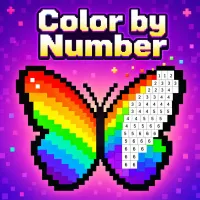
Color by Number is a casual coloring game that transforms detailed illustrations into approachable visual puzzles. Each picture is divided into numbered pixels, and every number corresponds to a color in the palette. Fill the spaces correctly to gradually reveal the finished artwork.
The game features pictures based on furniture, animals, everyday objects, and other colorful themes. There are no complicated rules or strict time limits, allowing you to complete each design at a comfortable pace.
Begin by selecting a picture from the available collection. Once the canvas opens, choose a color and locate every pixel marked with its corresponding number. Click or tap those spaces to fill them in.
Use the plus and minus icons to adjust the canvas view. On a computer, the mouse wheel also lets you zoom in or out. Zooming in is especially helpful when working with small pixels hidden around detailed outlines.
If you cannot find the final spaces for your selected color, click the lightbulb icon. The hint will highlight an unfinished area so that you can continue without searching the entire picture.
Every completed picture rewards you with coins. These coins can be used to obtain tools that make larger or more detailed canvases easier to finish.
The bomb automatically colors a section of the picture. It is particularly useful in crowded areas containing many small pixels.
The paint bucket fills every remaining pixel associated with one color, even when those spaces are scattered across different areas of the canvas.
Daily bonuses may also provide coins, bombs, or paint buckets. Collecting them regularly helps you save resources for more challenging pictures.