




Be the first to comment
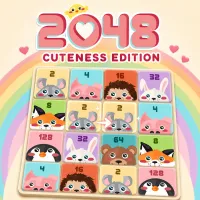
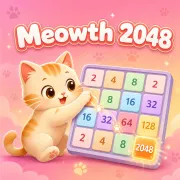
2048 Cuteness Edition turns the familiar number-merging puzzle into a colorful animal-themed challenge. The objective remains simple: combine matching tiles, create higher values, and work toward the 2048 tile without filling the board.
The friendly artwork makes the game approachable, but the puzzle still demands careful planning. Every move shifts the entire grid, so one careless swipe can break a useful arrangement or trap an important tile.
The game takes place on a 4×4 board. Moving in any direction slides every available tile at once. When two identical animal tiles meet, they merge into one upgraded tile and add points to your score.
Each move also introduces another tile, gradually reducing the amount of free space. Early combinations are easy to find, but higher-value tiles require longer merge chains. Creating one large tile means repeatedly building smaller matching pairs in the correct order.
Reaching 2048 is the main milestone, although the game allows you to continue and pursue a higher score. A run ends when the board is full and no valid merge remains.
Success depends more on space management than quick reactions. Randomly moving in every direction may produce several early merges, but it usually scatters valuable tiles across the grid.
A steadier approach is to keep the largest tile near one corner and arrange smaller values around it. This creates a more predictable path for future combinations. Leaving at least one open space also gives new tiles room to enter without immediately blocking the board.
Before each move, check how the entire grid will shift. A merge that looks useful may move your largest tile away from its corner or separate two values you were preparing to combine.